
Burp Proxy tips and tricks
Organizer
The Organizer tab is Burp's central workspace for tagging and grouping requests and responses identified during an engagement. It helps keeping a clean overview while collecting key evidences, streamlining the path from discovery to final reporting.
You can send requests and responses to the Organizer tab using right click "Send to Organizer" or the CTRL+O shortcut.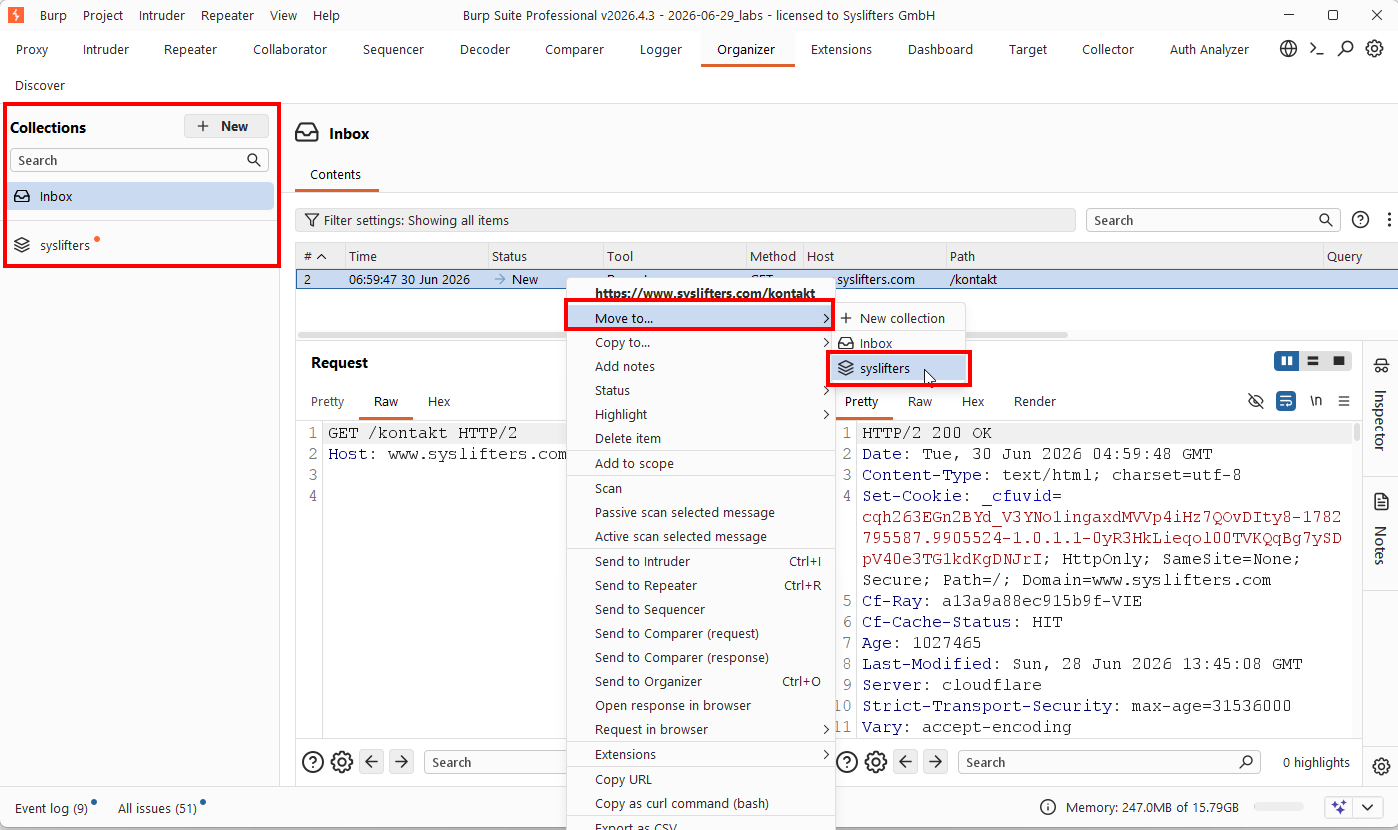
Every new sent request is stored in the "Inbox" collection.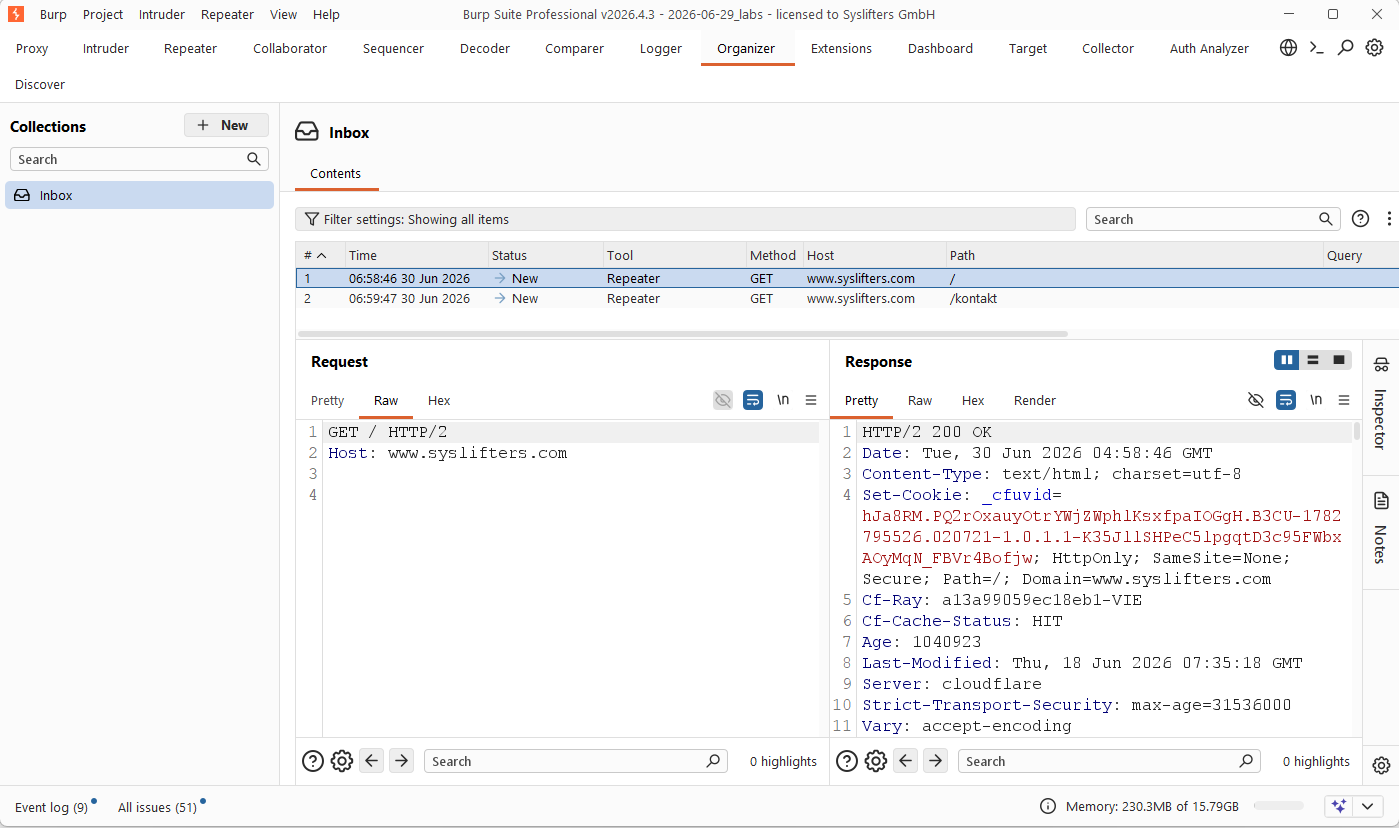
To keep the full attack path step by step in one place you can create collections and move requests into it.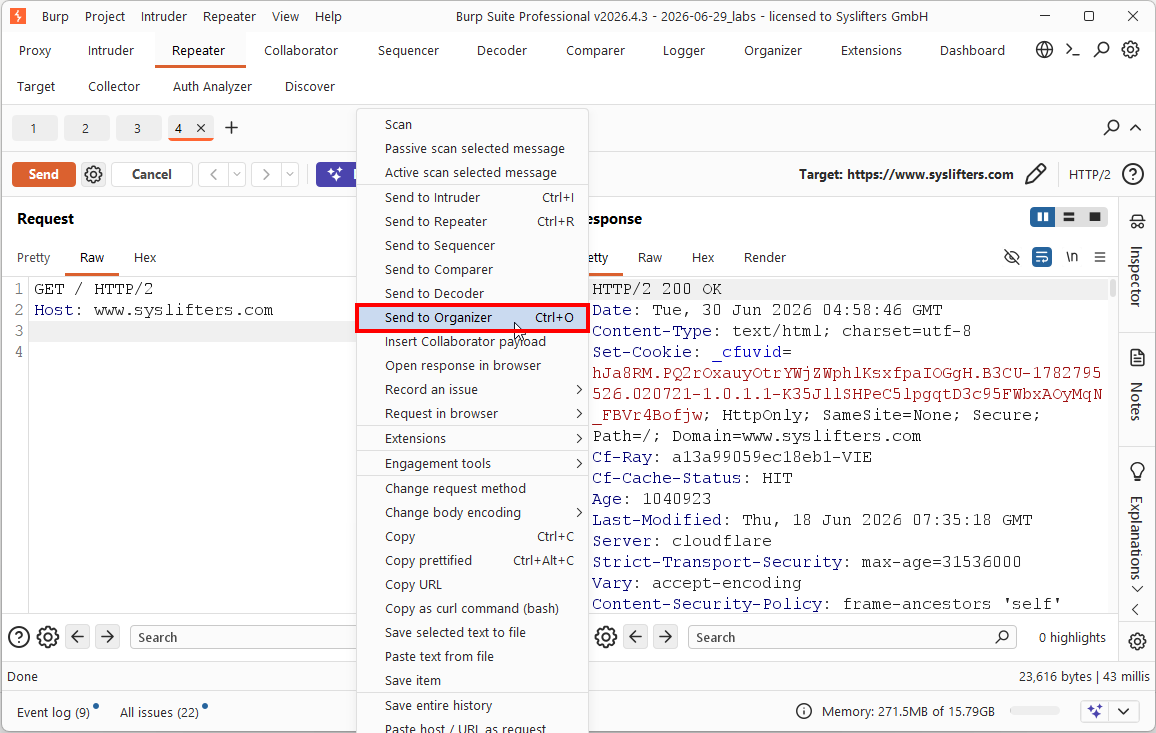
Collector (Extension)
Collector is an automation extension used for dynamic extraction and injection of tokens, such as JSON Web Tokens or UUIDs, across HTTP traffic. It eliminates manual updates by automatically capturing tokens from responses and injecting them into subsequent requests, ensuring your test cases remain valid without constant manual intervention.
The extension can be downloaded from Github here Tib3rius - Collector.
Use case 1 - automatically replace JWT access tokens
Using Collector to automatically update JWT bearer tokens in Burp Suite for:
- Scanner
- Intruder
- Repeater
- ...
To configure token handling you need to setup Bucket Configuration and decide how, when and ...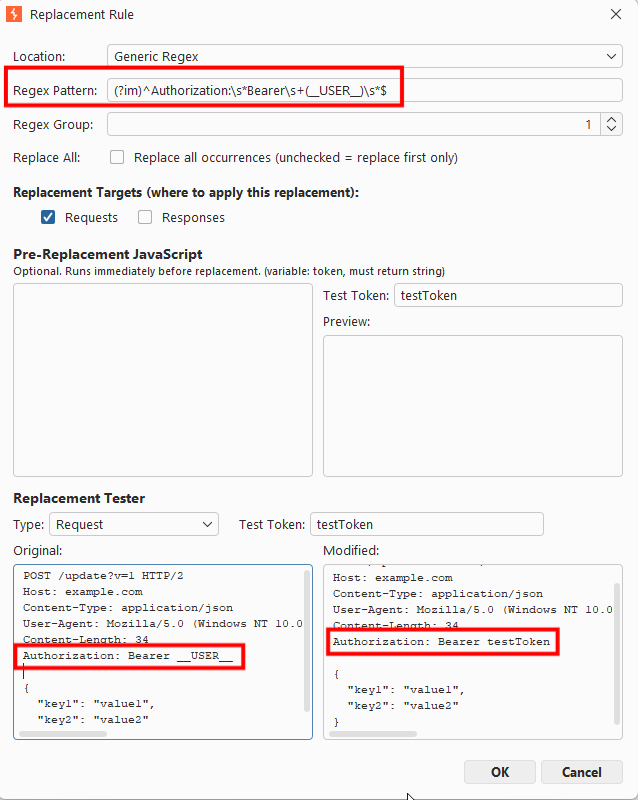
... where tokens are collected.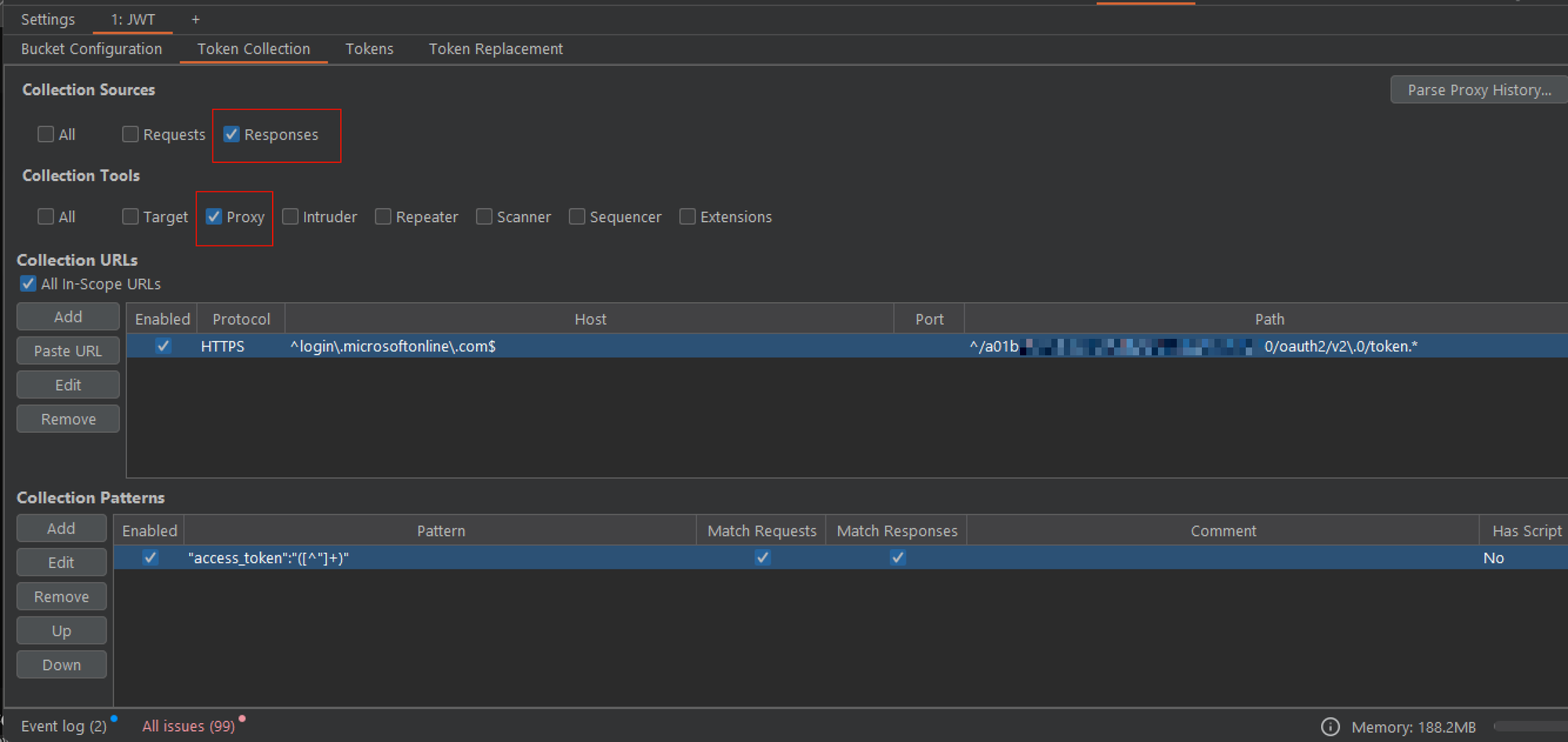
For token extraction regex patterns are used. This example regex extracts the access_token field from response to get the JWT token:"access_token":"([^"]+)"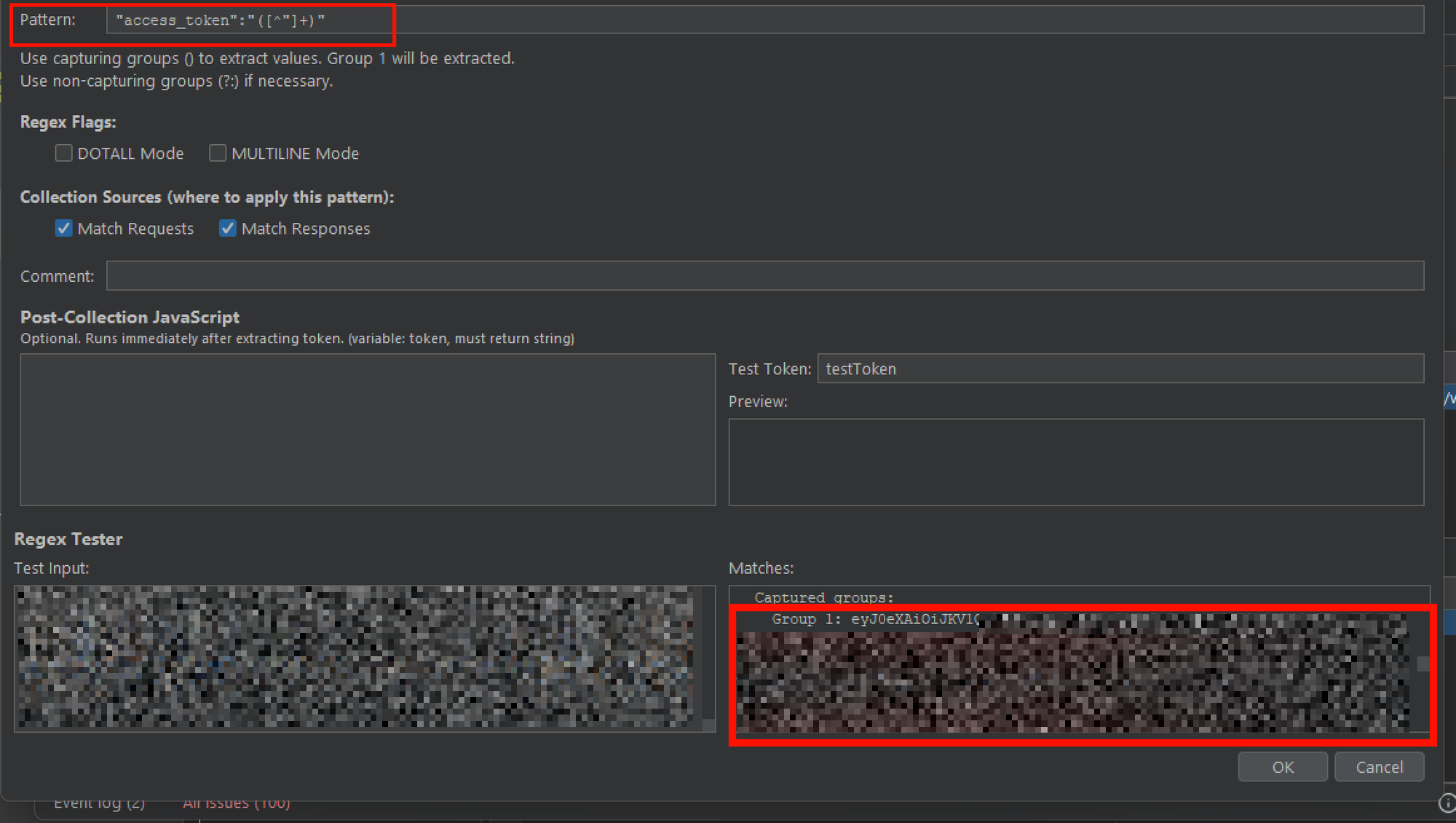
Now that we have collected our token, we need to configure in which Burp tools we want to replace it and in which format the token needs to be inserted.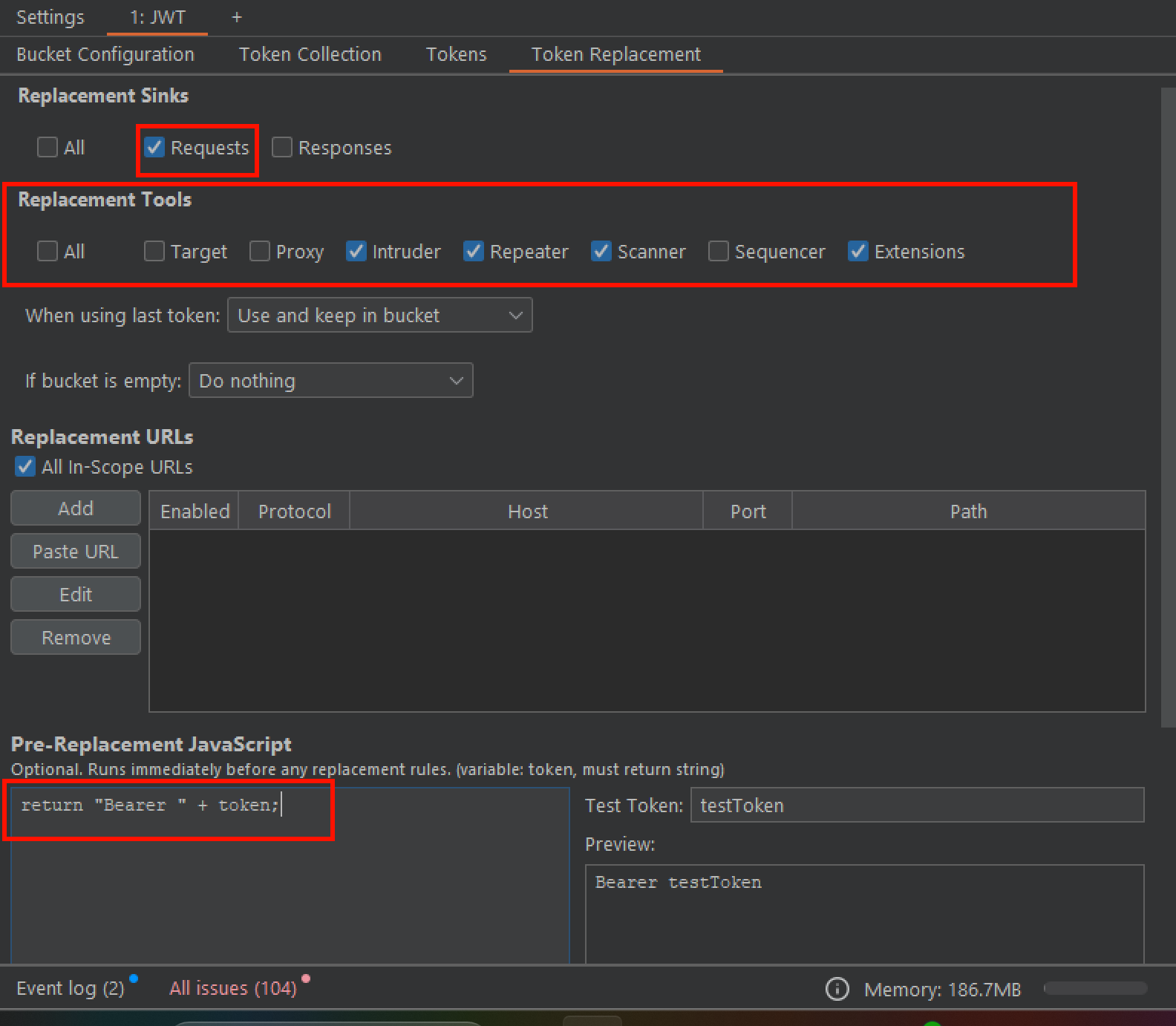
In the last step we need to configure in which location (Header, URL Parameter, Body Parameter, Cookie) and which value (e.g. Authorization Header) we want to use our collected token for replacement.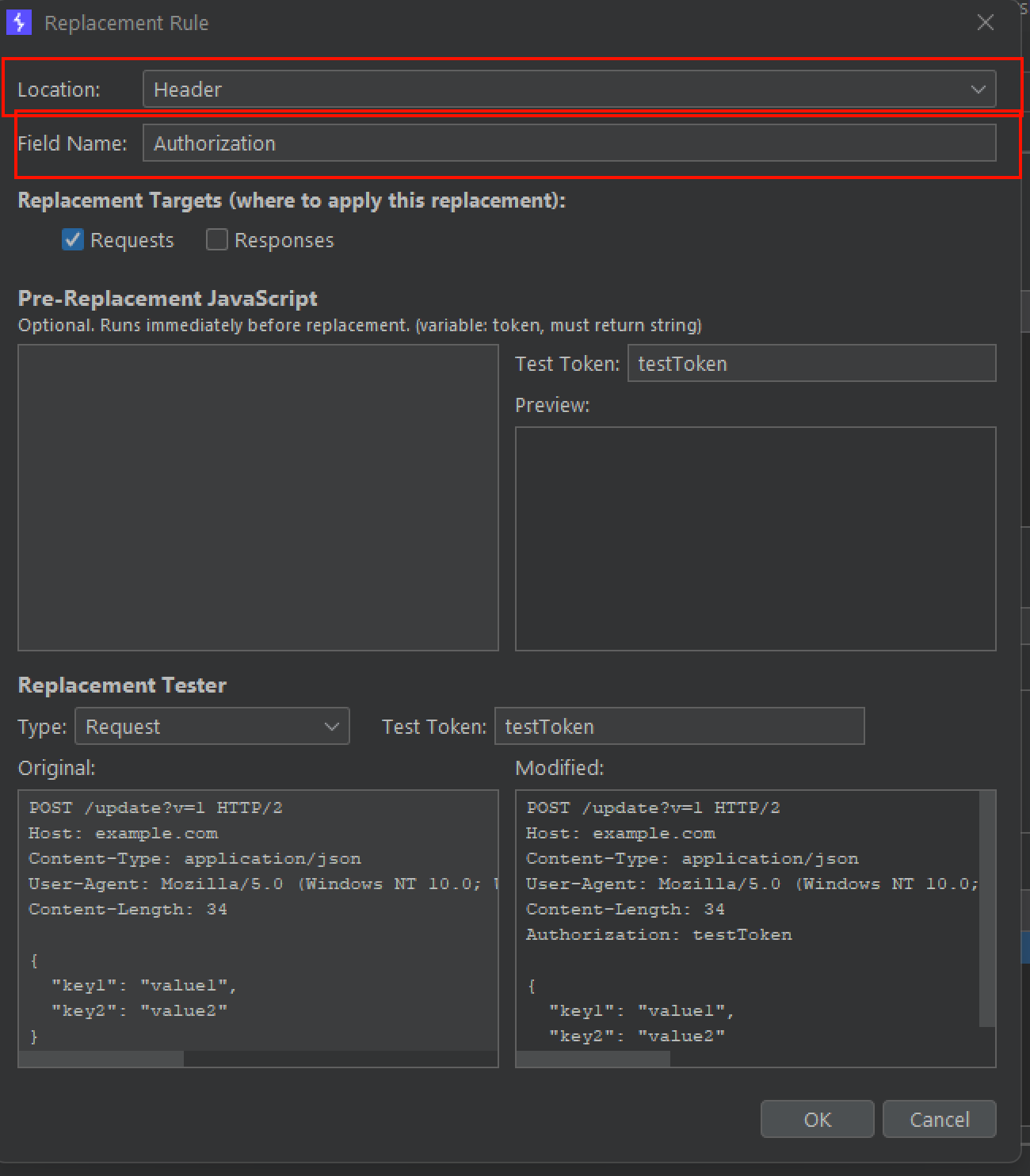
Tokens are now collected and updated automatically.
Use case 2 - Collect tokens via UUID pattern to dynamically extract UUIDs based on format
For collecting all tokens (UUIDs) we configure max size in our bucket to -1. This tracks all tokens and returns us a list of all UUIDs found during browsing the application.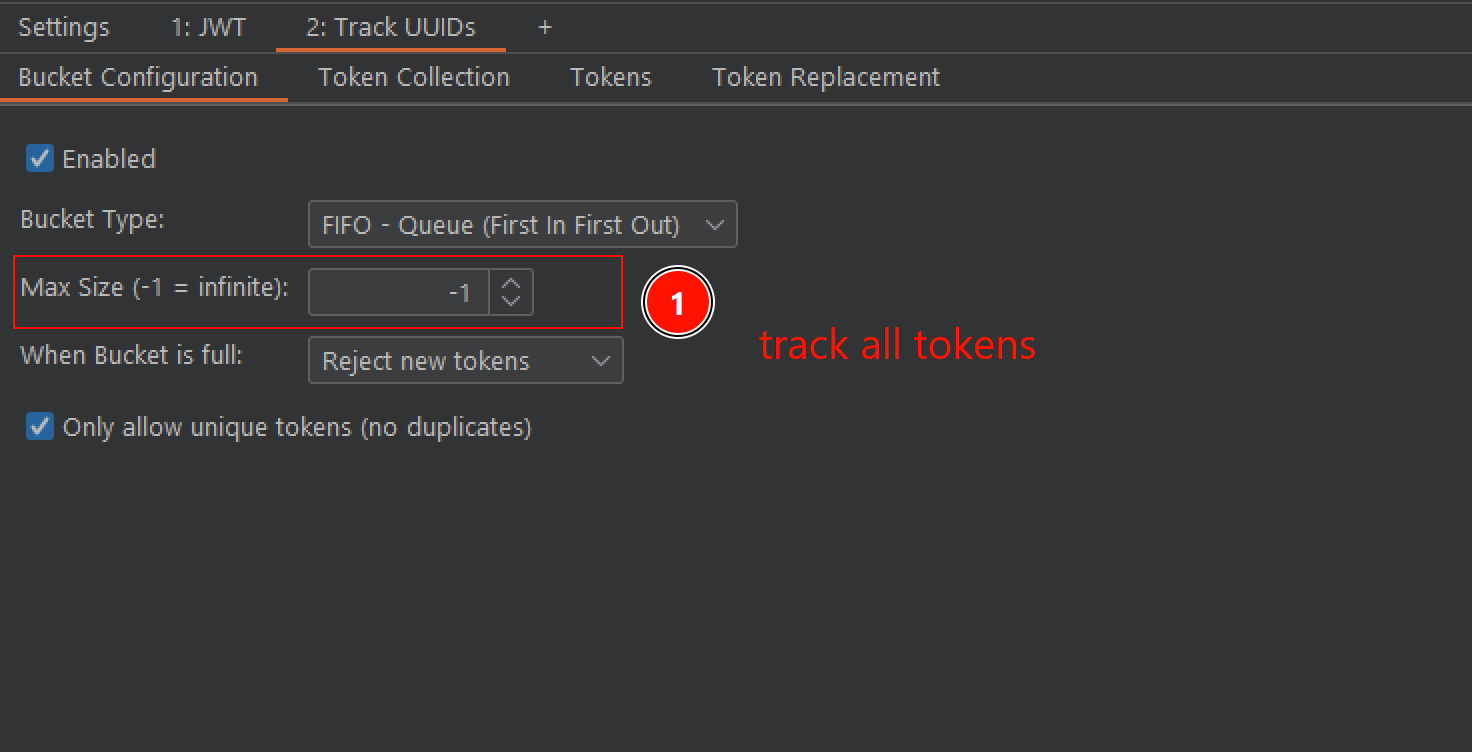
To extract all UUIDs seen in the proxy we use the following regex pattern:([a-f0-9]{8}-[a-f0-9]{4}-[1-5][a-f0-9]{3}-[89ab][a-f0-9]{3}-[a-f0-9]{12})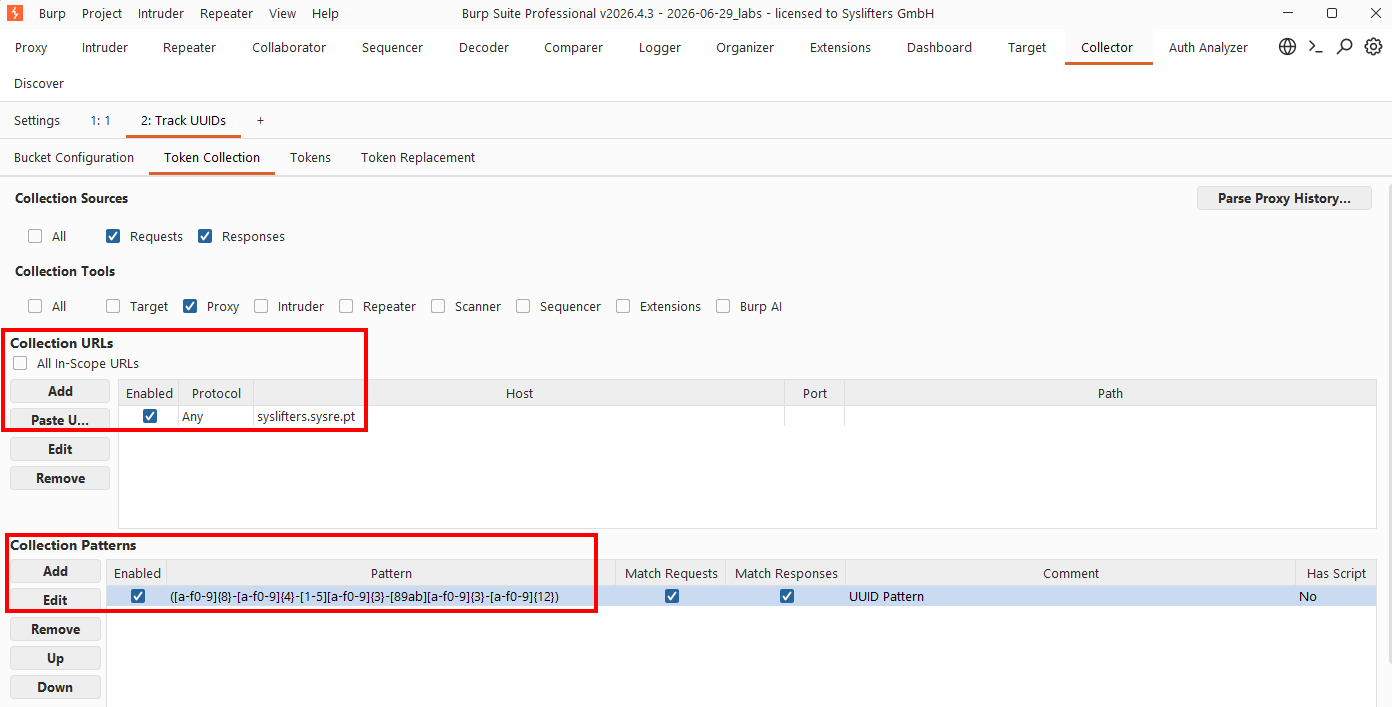
Browsing the application we can see that all UUIDs are collected.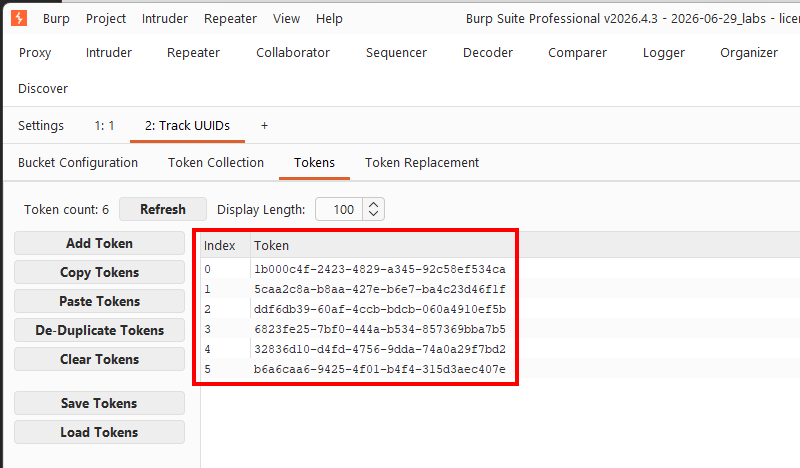
Use case 3 - collector in combination with AuthAnalyzer extension
In Auth Analyzer configure a new session and insert a placeholder dummy value into the Headers to replace section. E.g. Authorization: Bearer __USER__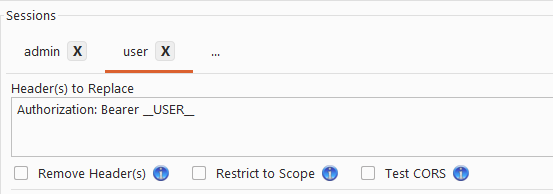
In collector follow these steps:
- Configure "Token collection" as described above
- Switch to "Token replacement"
- Configure "Replacement URLs"
- In "Replacement URLs" click "add"
- configure "Location" with "Generic Regex" and enter "Regex Pattern"
(?im)^Authorization:\s*Bearer\s+(__USER__)\s*$in case of other users substitute__USER__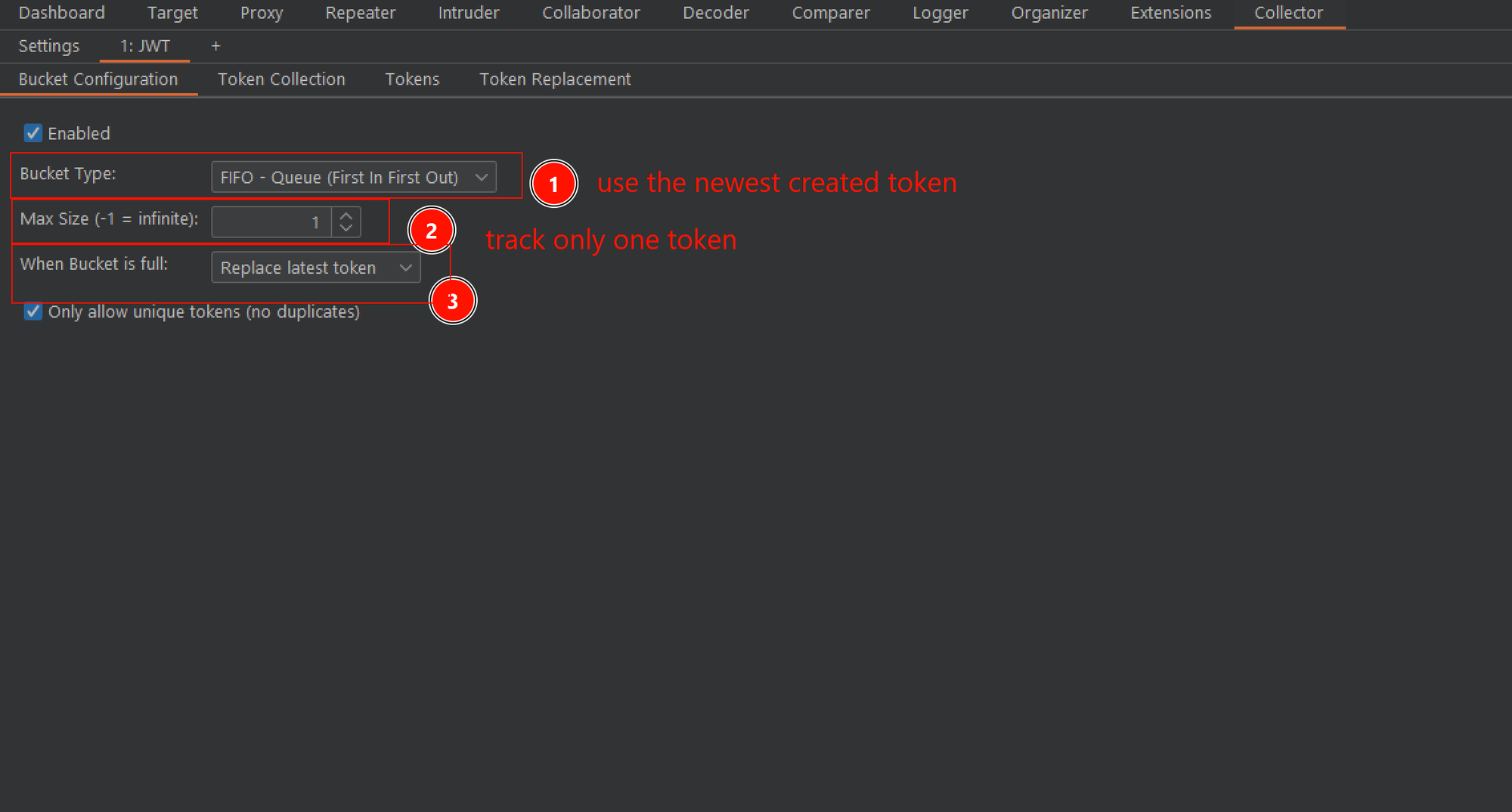
Known quirks:
- The endpoint used to retrieve new JWTs/access tokens is usually the same for all users, so it is not possible to differentiate between them. Therefore enabling / disabling every bucket and refreshing the page to retrieve a new token is required.
- After retrieving tokens configure "When bucket is full: Reject new tokens" to prevent tokens from being overwritten.