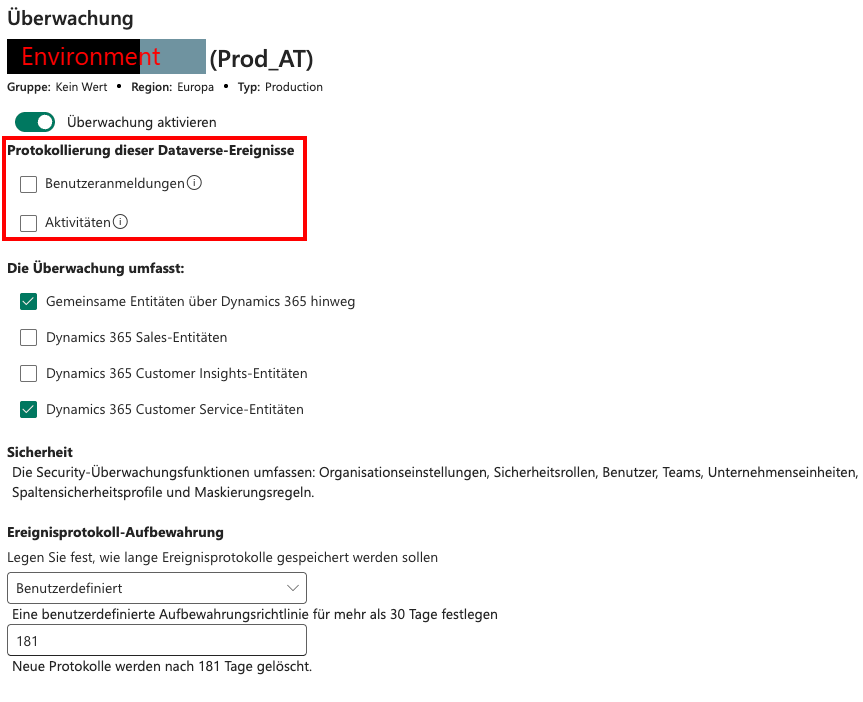
Limited audit trail due to missing logging configuration
Turn on auditing
https://learn.microsoft.com/en-us/power-platform/admin/manage-dataverse-auditing
- Sign in to https://admin.powerplatform.microsoft.com/.
- From the left-side menu, select Security > Compliance.
- Select the Auditing tile.
- Select the environment that you want to turn on auditing.
- Select Set up auditing. In the Auditing dialog box, select Turn on auditing.
- Review the list of Dataverse data and Dynamics 365 apps entities.
- Review and update the Event log retention by selecting the dropdown.
- Select the period that meets your data retention policy.