Email setup
Email encryption
Emails are encrypted using S/MIME at the email gateway. Outgoing emails are signed and encrypted if the public key of the recipient is present. You cannot control signing and encryption from your email client.
Test (e.g. with your colleagues) if email encryption and signing works. It should work out of the box if we have acquired a certificate for your user account.
Email footers
Email footers are legally required.
The first email or the first reply to an email should include your email footer. This makes your contact details available to the recipients.
Follow-up emails don't have to include an email signature.
eM Client
- Go to "Settings"
- Go to "Mail" Menu
- Go to "Templates and Signatures"
- Import Sample Signatures
- Sample email footers: Syslifters.html
- Sample email footers with SysReptor: SysReptor.html
- Sample email footers with SysLeaks: SysLeaks.html
- Update the email footer/signature with your data
- Your job title could be something like...
Security Penetration Tester,Pentester, etc.
- Your job title could be something like...
eM Client (mobile)
- QR Export your email footer in eM Client desktop
- Go to "Settings" in eM Client on your phone
- Click "import/export"
- Scan the QR Code
NextCloud
You can update your email footer in the NextCloud mail app via "Account Settings"/"Signatures".
Copy and paste the signature below and update the data and the links.
ARON MOLNAR
CO-FOUNDER
+43 660 923 40 60
aron@syslifters.com
More about me...
www.syslifters.com
English · Deutsch · GernePerDu
Information gemäß § 14 Unternehmensgesetzbuch: Syslifters GmbH, Firmensitz: Eitzersthal 75, 2013 Göllersdorf, FN 578505v, Bezirksgericht Hollabrunn.
Thunderbird
Import the sample signatures from eM Client.
Setting Nextcloud Talk as online Meeting provider
This works in eM Client only.
- Hamburger Menu on the top left:
Settings -> Online Meetings -> Add - Select "Nextcloud Talk" and when prompted for the URL enter:
https://cloud.syslifters.com. Do not add a trailing slash, as the meeting URLs will not work! - Create a new app password in Nextcloud
Settings -> Securityand paste your credentials into eM Client.
Calendar Settings
To use your nextcloud calendar you need to setup an additional account next to your mail configuration.
eM Client
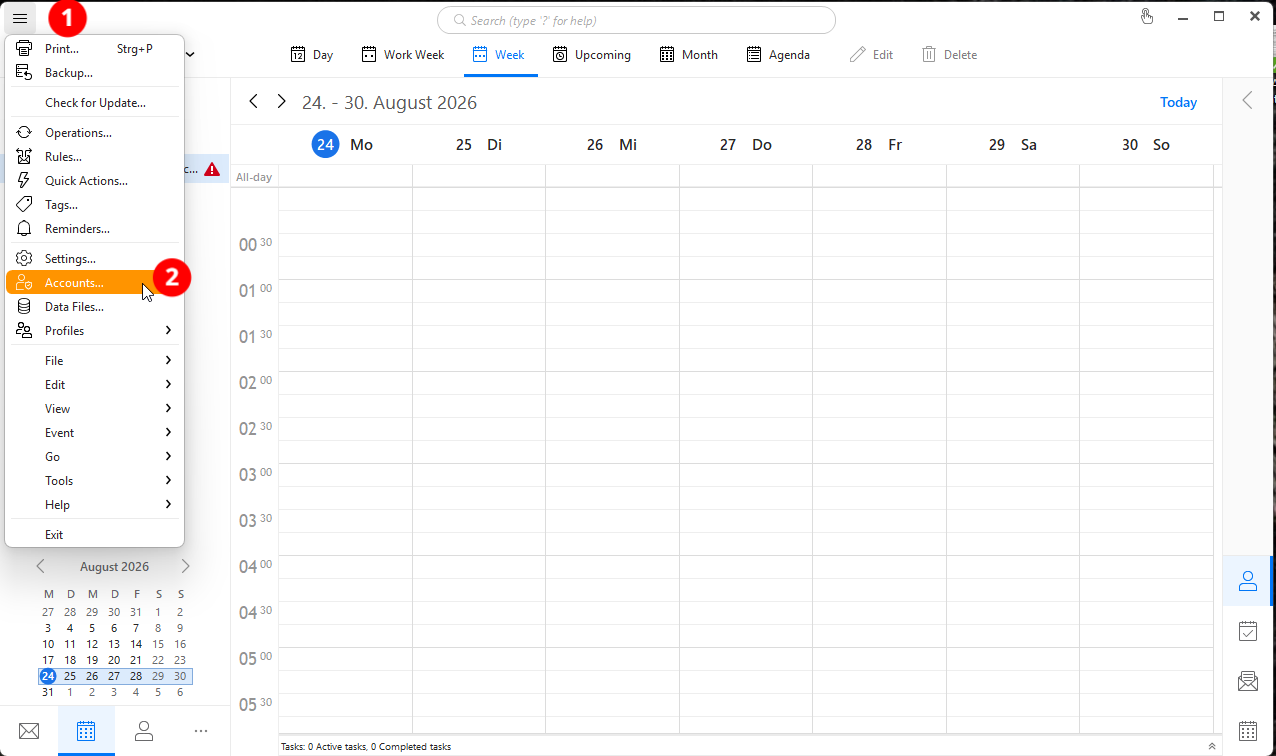
Start adding a new account by clicking the burger menu on the top left and click accounts.
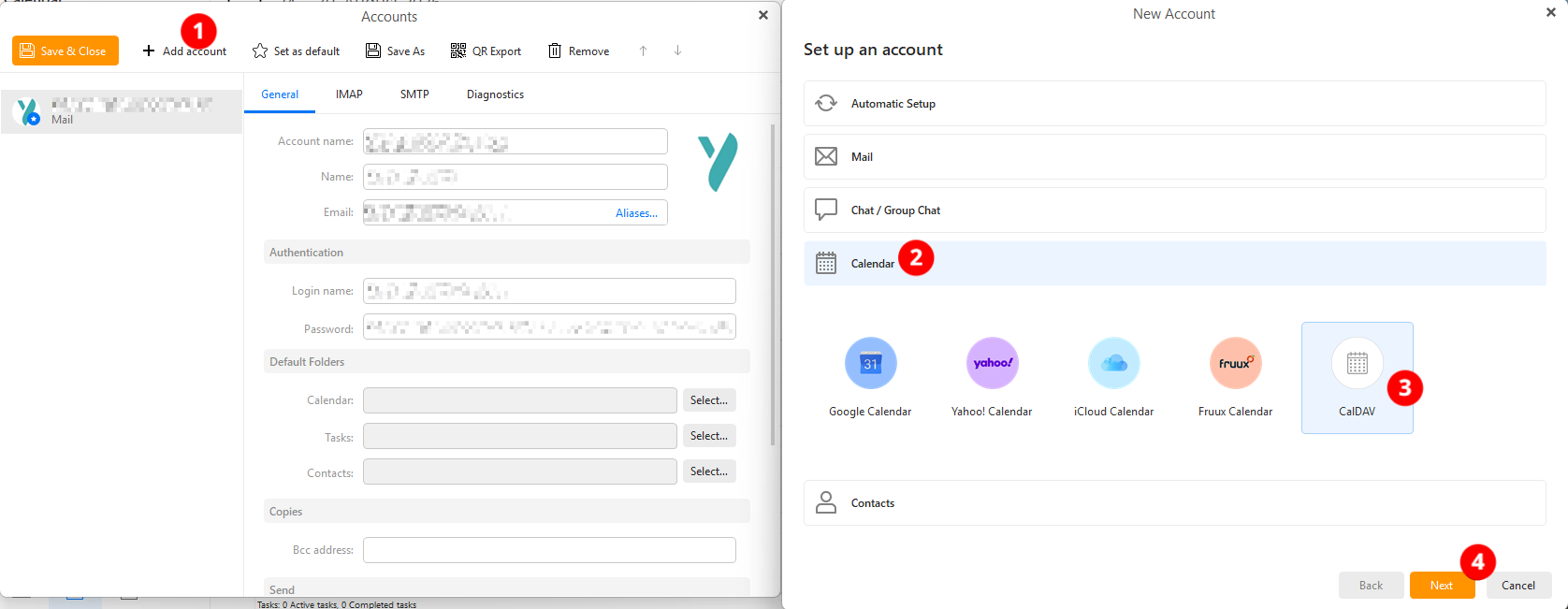
In the new window select add account, click on calendar and pick CalDav before hitting the next button.
Insert the account address https://cloud.syslifters.com/remote.php/dav add your Nextcloud app password and click next and finish.
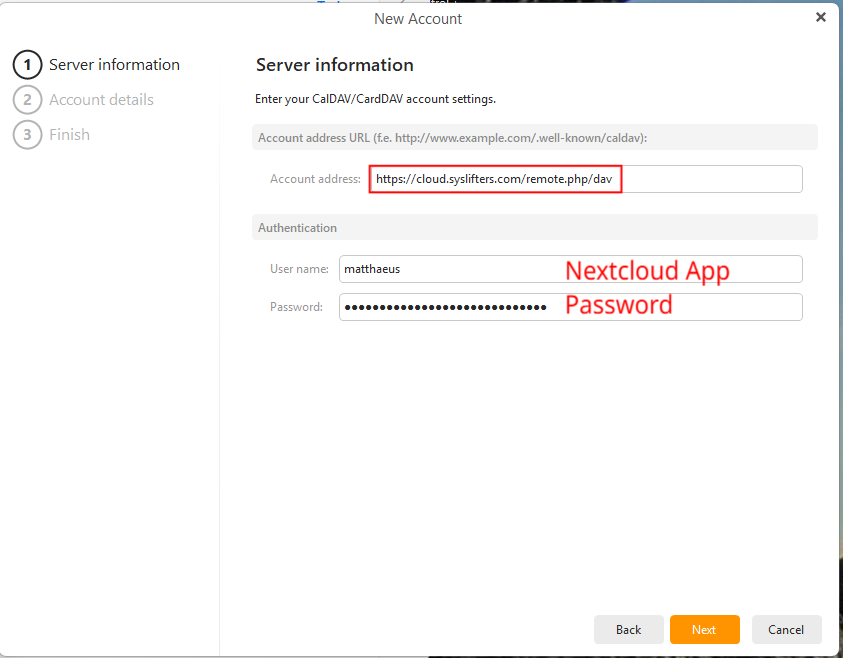
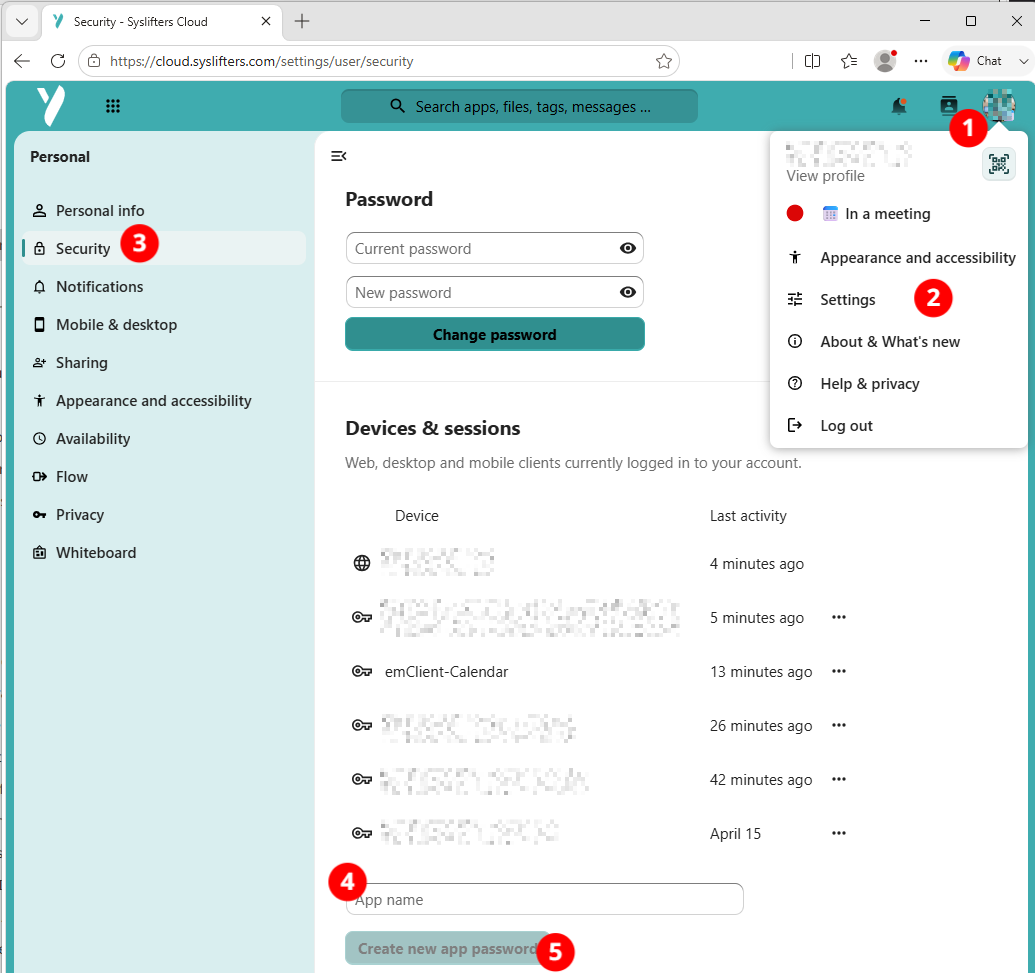
If you do not have an app password for calendar sync already you can create one in your personal Nextcloud account. After signing in to https://cloud.syslifters.com/ click on your profile picture, select settings, follow to security, enter a name for your app-password and confirm with create new app password.
Change default calendar folder
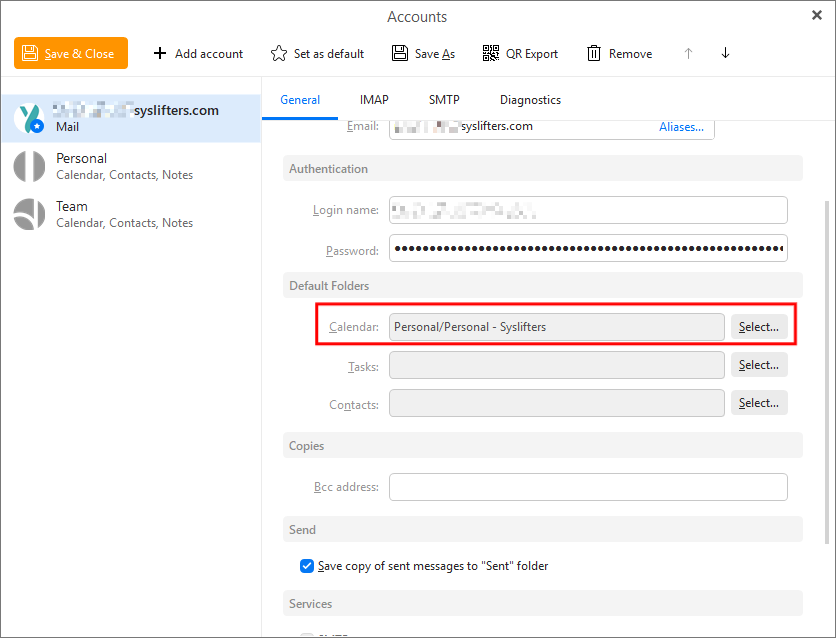
To save email invitation events in the Nextcloud calendar you need to change the default calendar location in eM Client.
Click the burger menu and select accounts.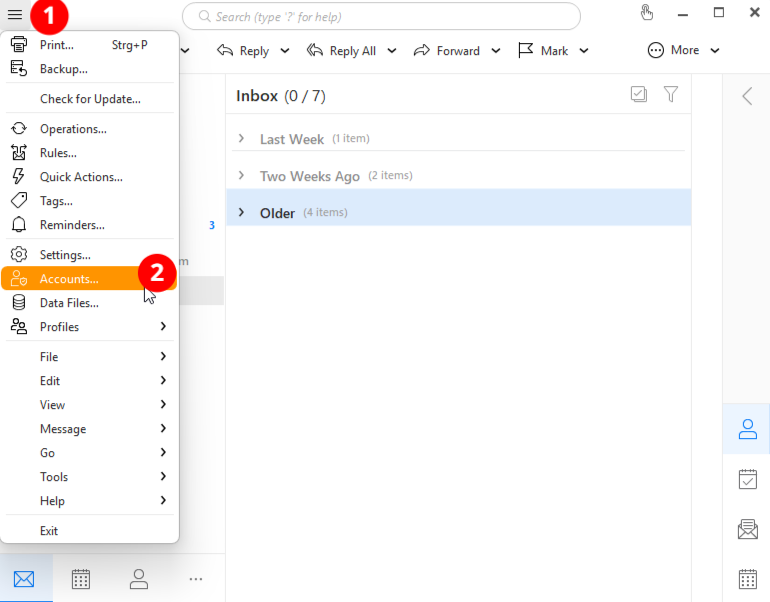
Pick your mail account, look for Default folders and select the Nextcloud calendar you added before.