
Microsoft Teams Status Disclosure
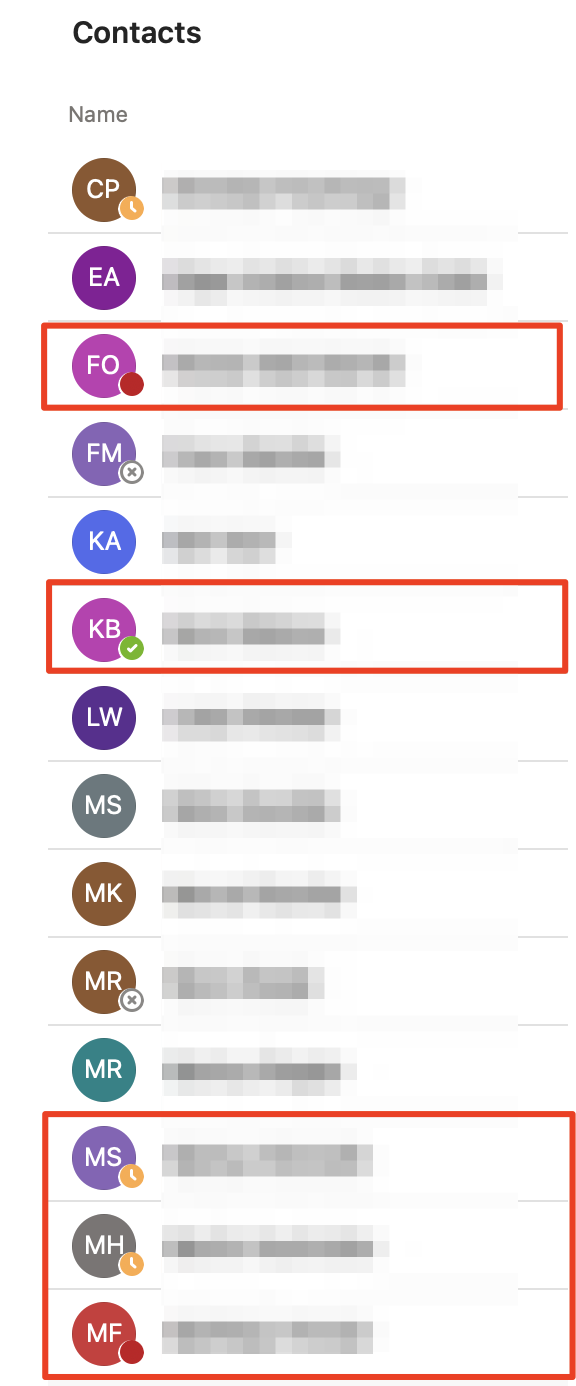
The "status light" in MS Teams is pretty inconspicuous, but it reveals quite a lot about you and your habits: when you start work and when you stop, whether you’re currently on a coffee break with colleagues, sitting through a meeting, or even presenting right at this moment.
Status information may be quite useful within an organization, but by default, people outside your organization may also be able to see your presence status. We’ve noticed that this is the case for many of our contacts.
Remediation
If you don’t want that, the default configuration must be adjusted in the Teams Admin Center. But first: unfortunately, there is no way to completely disable access to status information for external users.
However, you do have the following options to prevent access; although with limitations:
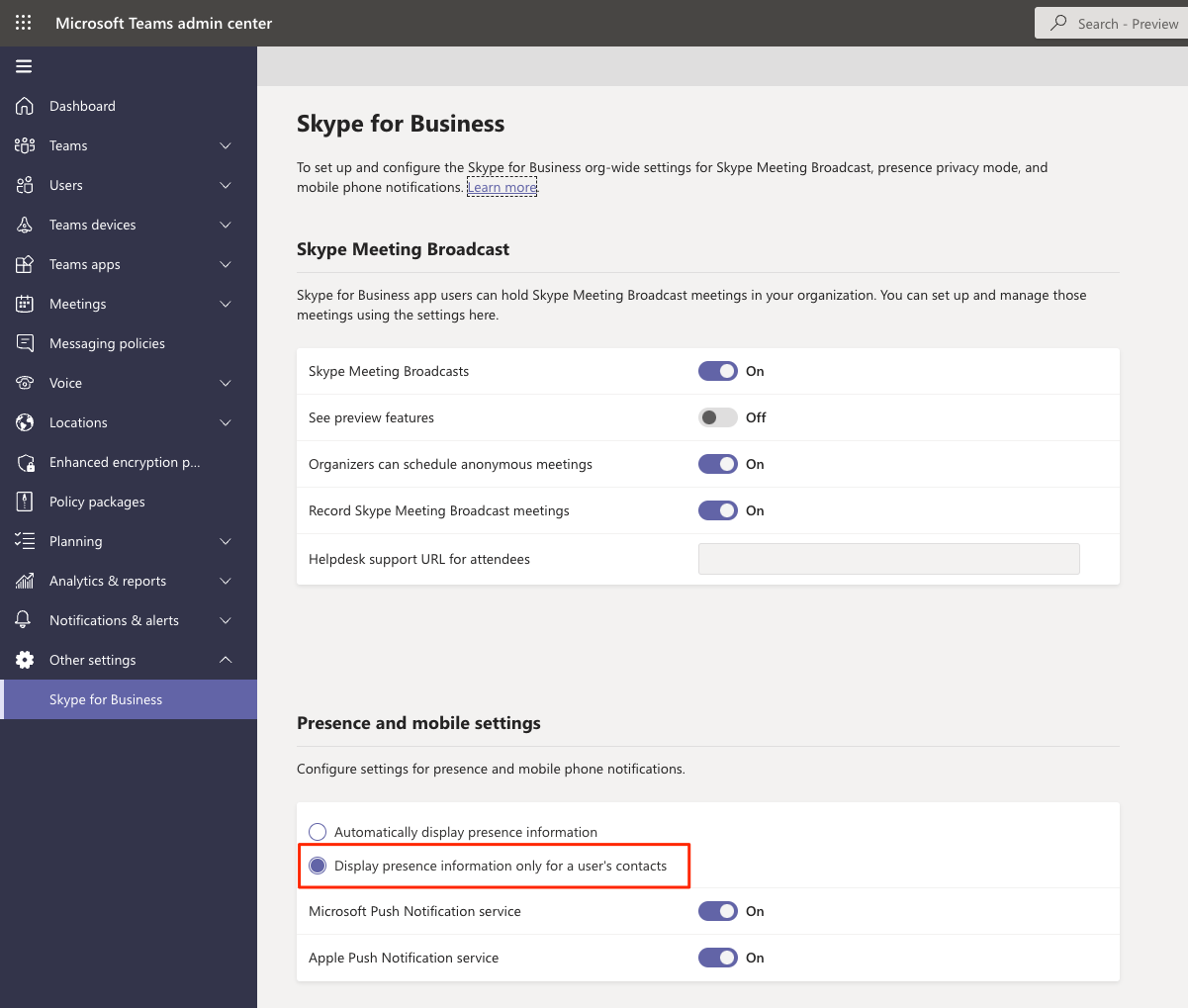
Option 1) Enable Skype for Business Presence Privacy Mode. This option restricts access to presence information to Skype for Business or Teams contacts on your personal contact list.
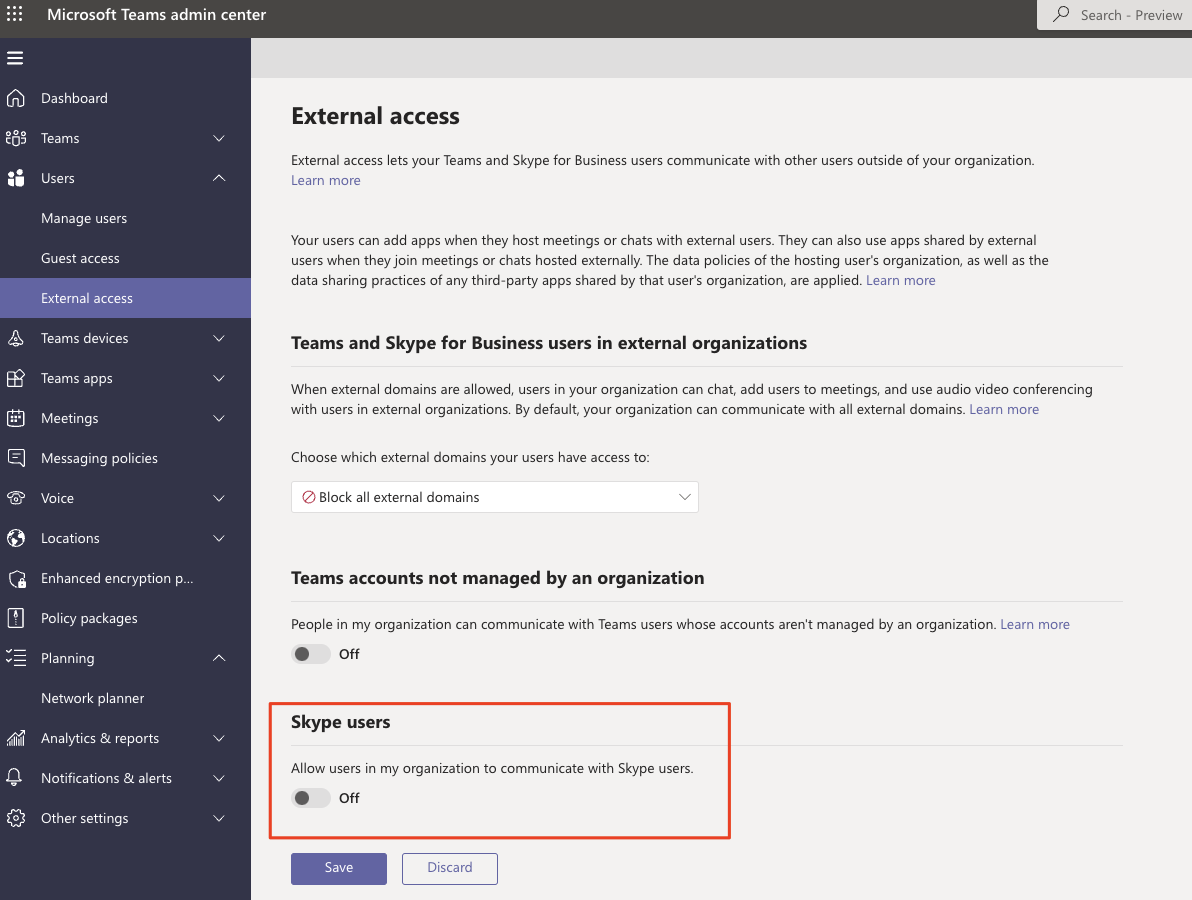
Option 2) Block all external domains. This means your colleagues can’t search for, call, chat with, or schedule meetings with anyone outside your organization. Exchanging with others is then only possible via guest access.
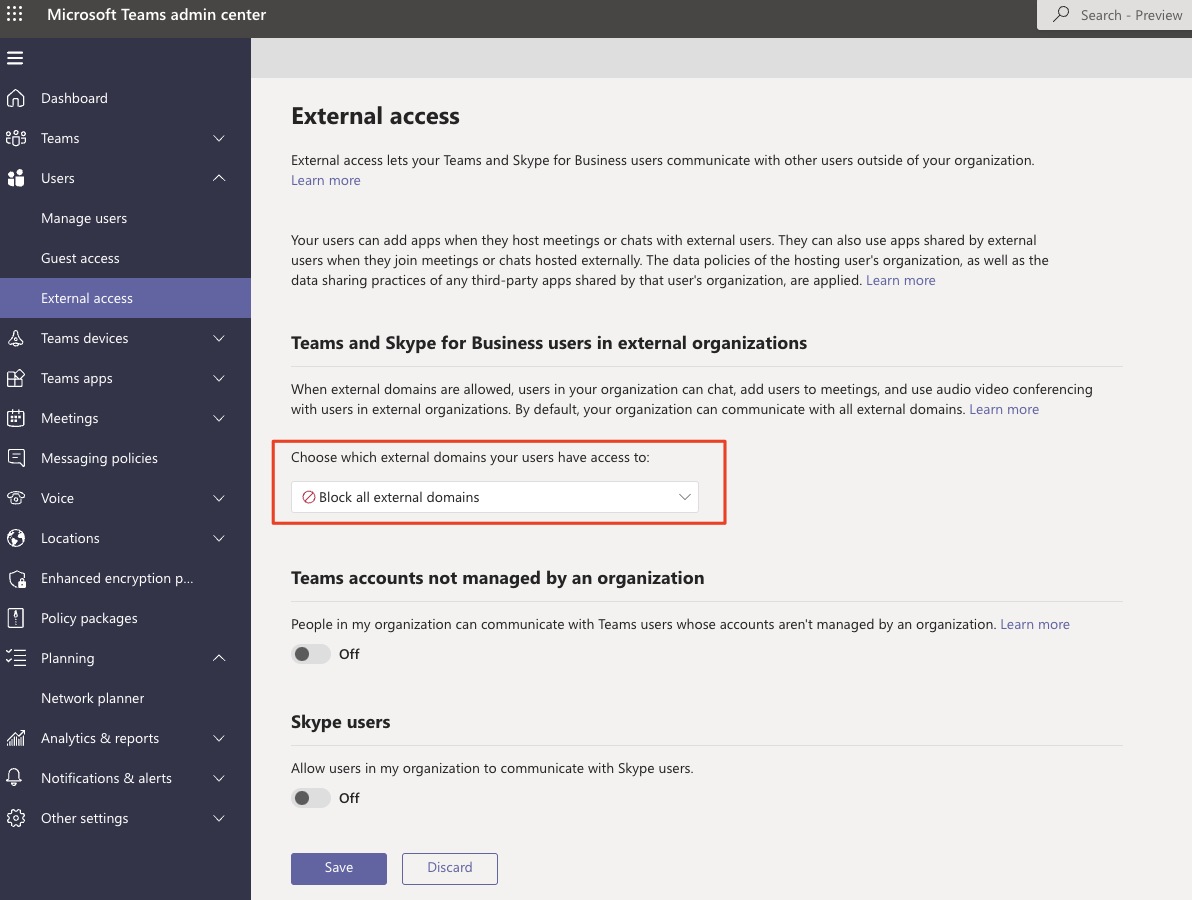
While you’re hardening MS Teams, you should also disable the option that allows people to communicate with Skype users.
Other suggestions?
Is there a better way? Do you have feedback?